
Run the Business Side of Your Gym — Money, Stock, Staff & Pay
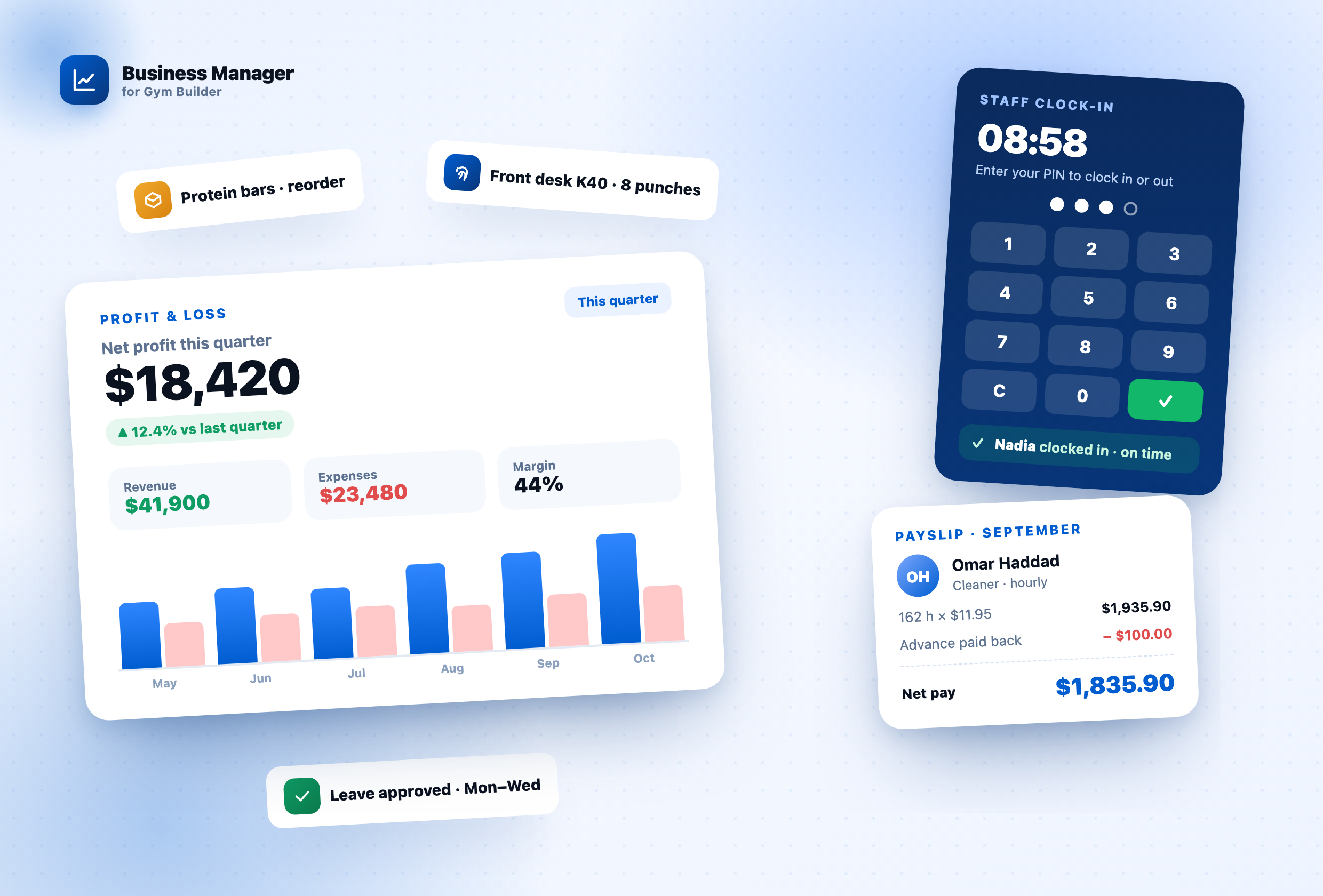
GB Business Manager puts every payment from your Gym Builder add-ons next to what the studio spends, so you see real profit — then adds gym inventory, staff attendance with a front-desk kiosk and fingerprint machines, leave, and monthly payroll with payslips. One back office, inside WordPress.
Why this add-on exists
Gym Builder runs your classes, members and payments — but the business behind them lives in spreadsheets: what came in, what went out, what is on the shelf, who turned up for work and what everybody is owed. GB Business Manager brings all of it into one place. It reads your Stripe, offline and personal-session payments live (nothing is copied, so a refund shows up straight away), records your bills and stock, takes staff clock-ins from a kiosk, the trainer dashboard or a fingerprint machine, and turns attendance into payslips — with separate permissions so front-desk staff never see the books.
Everything you need
The whole back office of a gym, in one add-on.
Revenue & Profit
Every payment from Stripe, offline payments and personal sessions — read live — next to your expenses. Profit & loss by day, week, month or year, with CSV and PDF exports.
Expenses & Recurring Bills
Bills with category, vendor, tax, reference and a receipt. Paid, unpaid and void; recurring bills post themselves on their due date.
Gym Inventory
Equipment, consumables and retail stock with photos. Purchases, sales, waste and repairs with full history, reorder and service alerts, and costs posted to the books.
Staff & Attendance
Clock in from a front-desk PIN kiosk, the trainer dashboard or a private records link. Today board, month grid, leave with allowances and approvals, holidays.
Fingerprint Machines
ZKTeco-type machines (K40, K50, MB-series) push punches straight to your site; Hikvision through HTTP Listening; anything else through a USB export or a connector.
Payroll & Payslips
Monthly pay worked out from attendance, leave, sessions and the timetable. Every line shows its working; approve, pay, and staff download their own payslip PDFs.
Money in, money out, and what is left.
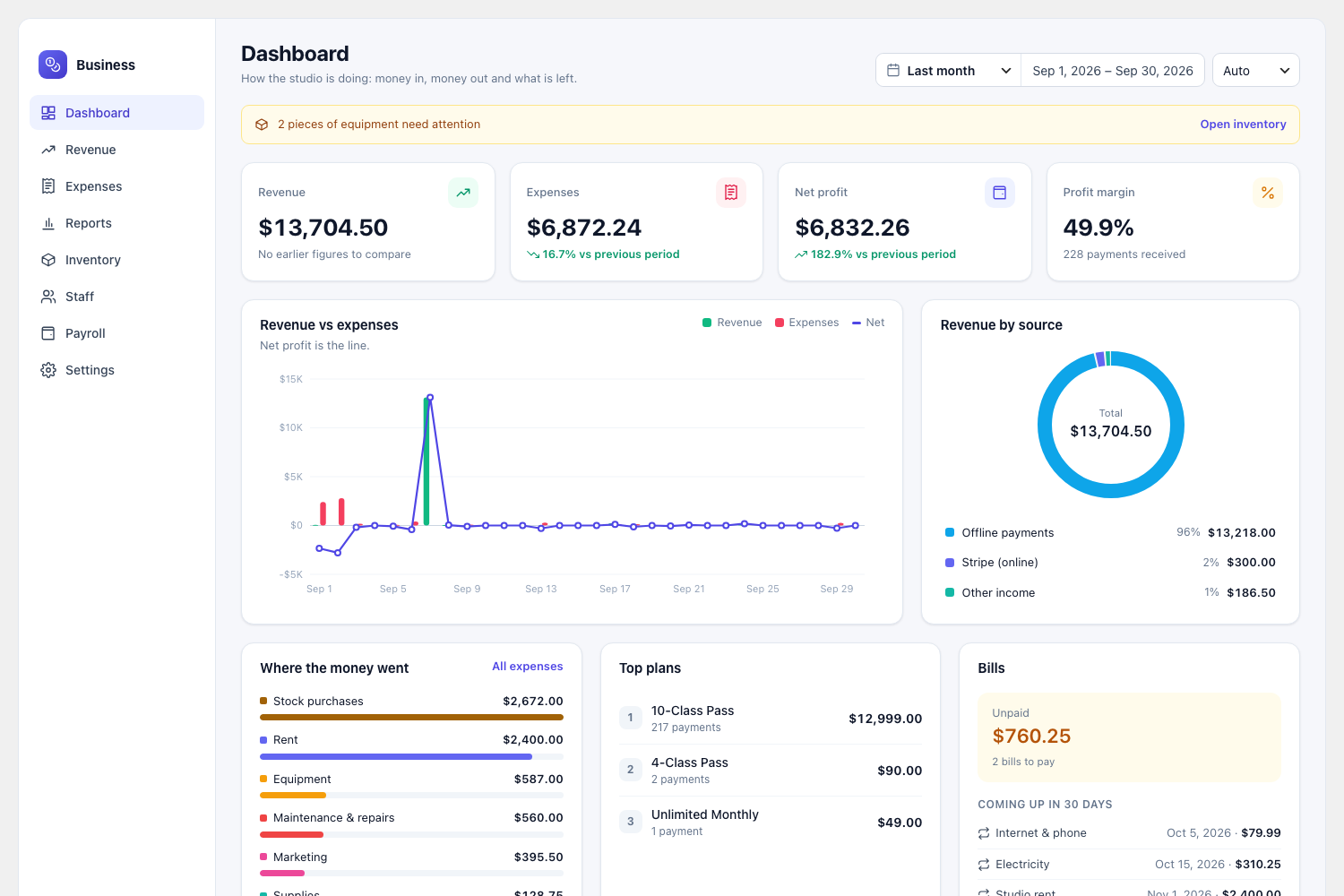
See real profit at a glance
- Revenue, expenses, net profit and margin against the previous period.
- Revenue vs expenses chart with the net line.
- Revenue by source — Stripe, offline payments, personal sessions, your own income.
- Where the money went, top plans, unpaid bills and what is due in the next 30 days.
- Any range: this month, last quarter, financial year or a custom span.
Business Manager › DashboardFINANCE
Business Manager › RevenueFINANCE
Read live — nothing is copied.
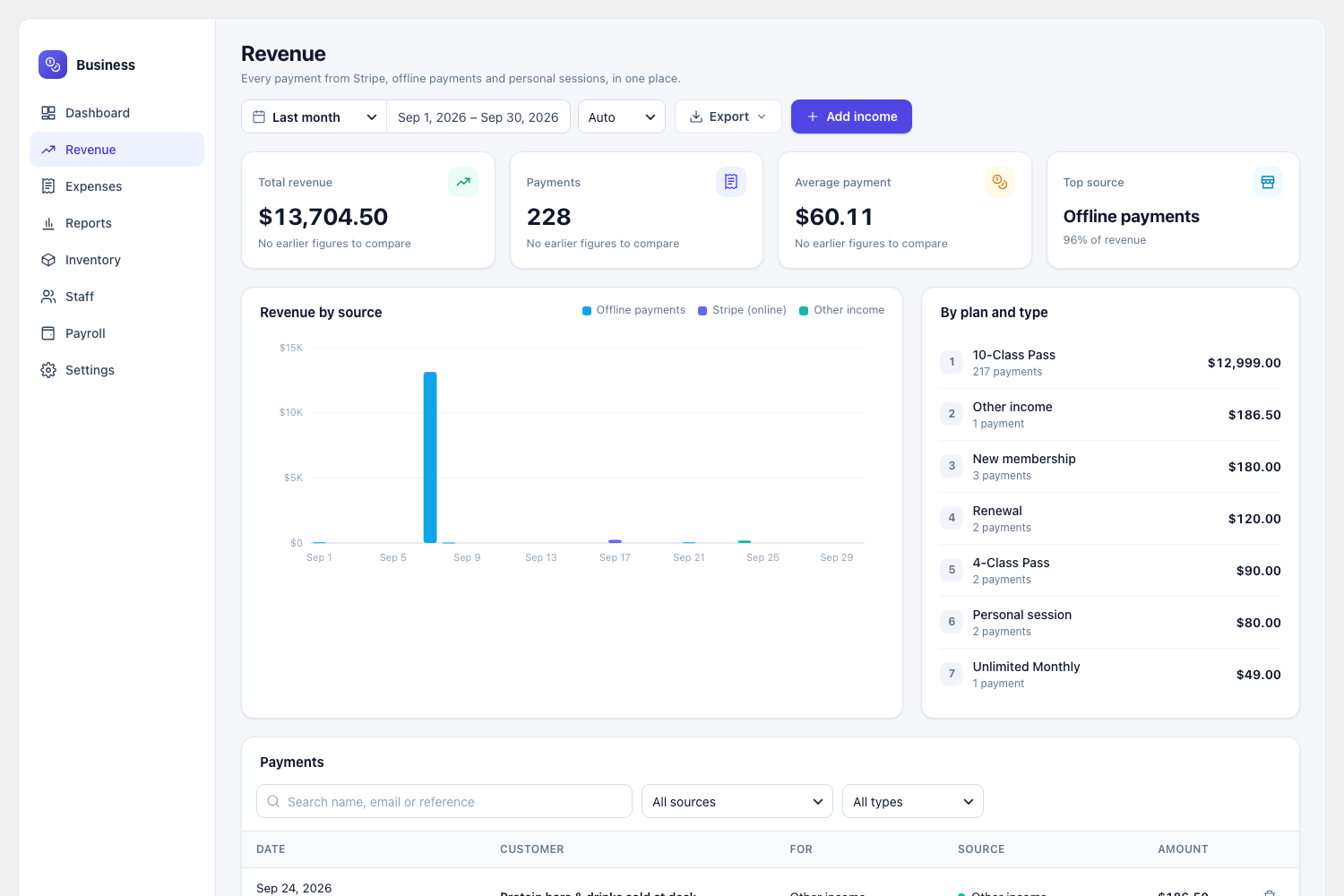
Every payment, from every add-on
- Card payments, bank transfers and cash, and paid personal sessions in one list.
- Revenue by source, by plan and by type — new, renewal, session.
- Stripe refunds taken off automatically.
- Add income no add-on records — drinks at the desk, a cash drop-in.
- Search, filter and export as CSV.
Expenses, recurring bills, categories and vendors.
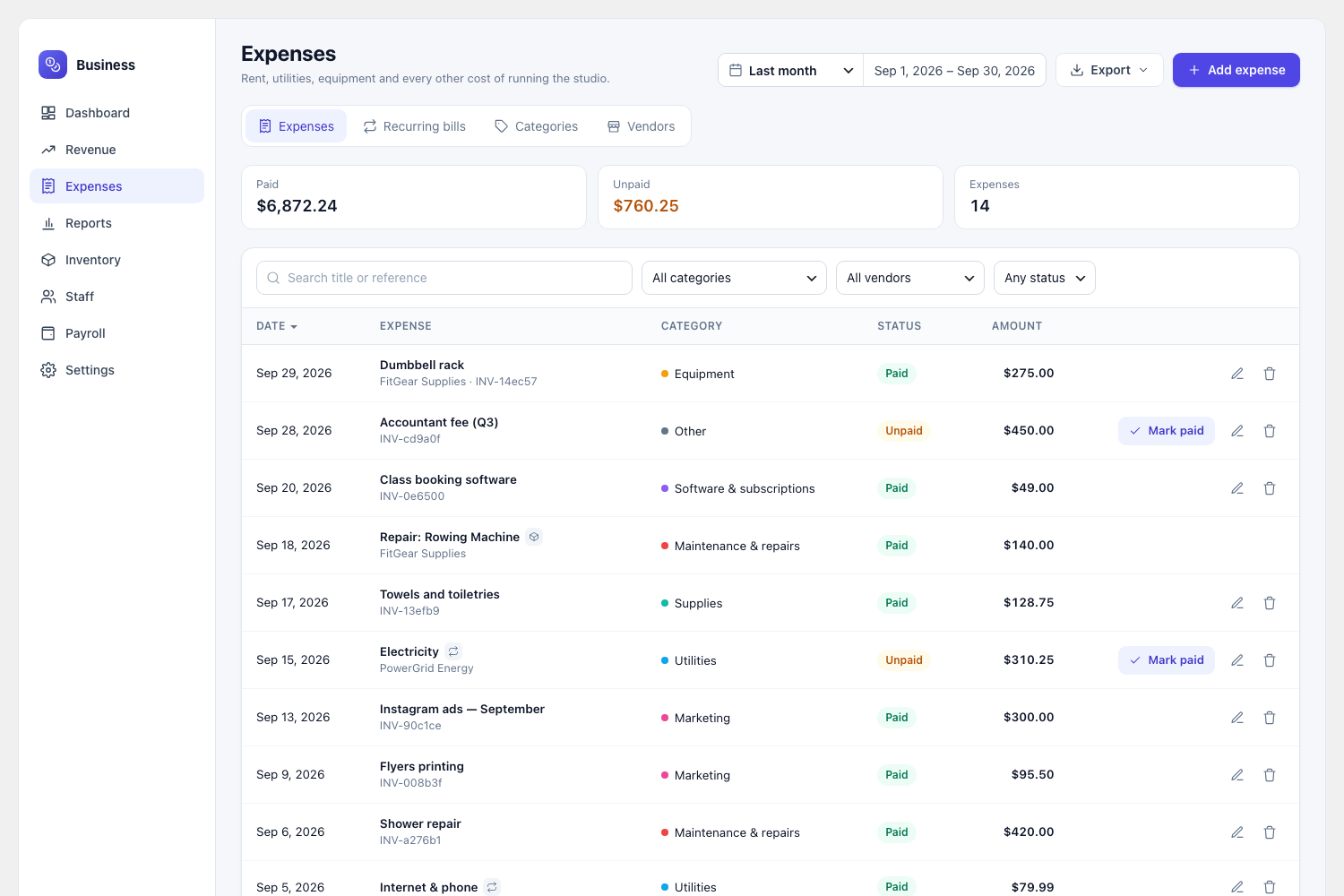
Bills that track themselves
- Category, vendor, payment method, tax, reference and a receipt from the media library.
- Paid, unpaid and void — unpaid bills shown as money still owed.
- Recurring bills (weekly, monthly, quarterly, yearly) posted on their due date.
- Categories with colours, and vendors with what you have paid each one.
- One click to mark a bill paid.
Business Manager › ExpensesFINANCE
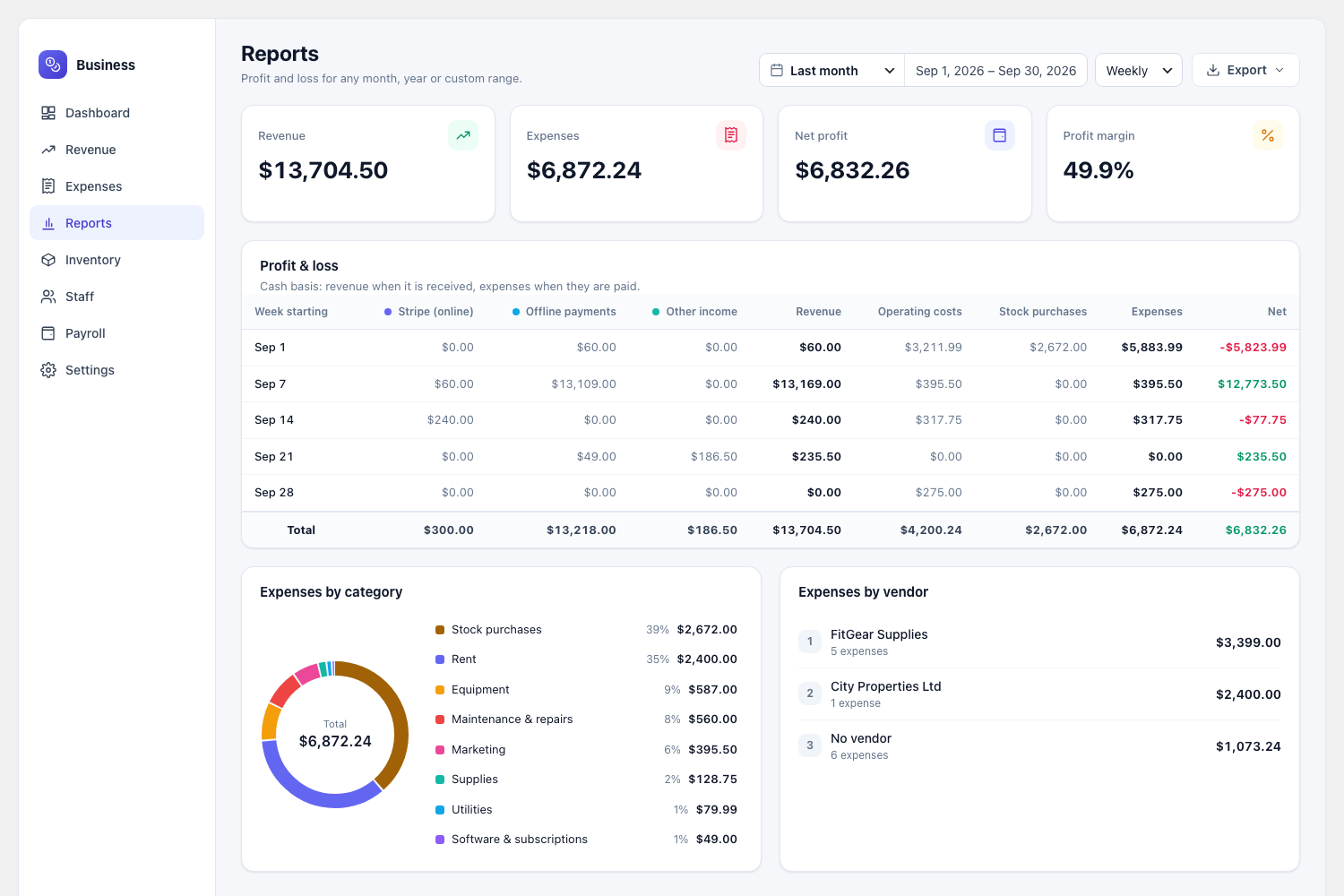
Business Manager › ReportsFINANCE
Cash basis, by day, week, month or year.
Profit & loss for any period
- Revenue per source and costs per kind, side by side, with a total row.
- Expenses by category and by vendor.
- Financial year start month for “This year” and “Last year”.
- Exports: payments, expenses and category totals as CSV; a financial report as PDF.
- Amounts in other currencies listed separately, never added together.
Equipment, consumables and retail stock.
Know what is on the floor and on the shelf
- Photo, SKU, unit and location for every item; stock value always up to date.
- Purchases, use, sales, waste, damage and count corrections — with undo.
- Equipment condition, repairs and service dates set with one click.
- “Needs reorder” and “Needs attention” views, plus a daily email.
- Purchases and repairs go to expenses, retail sales to revenue — automatically.
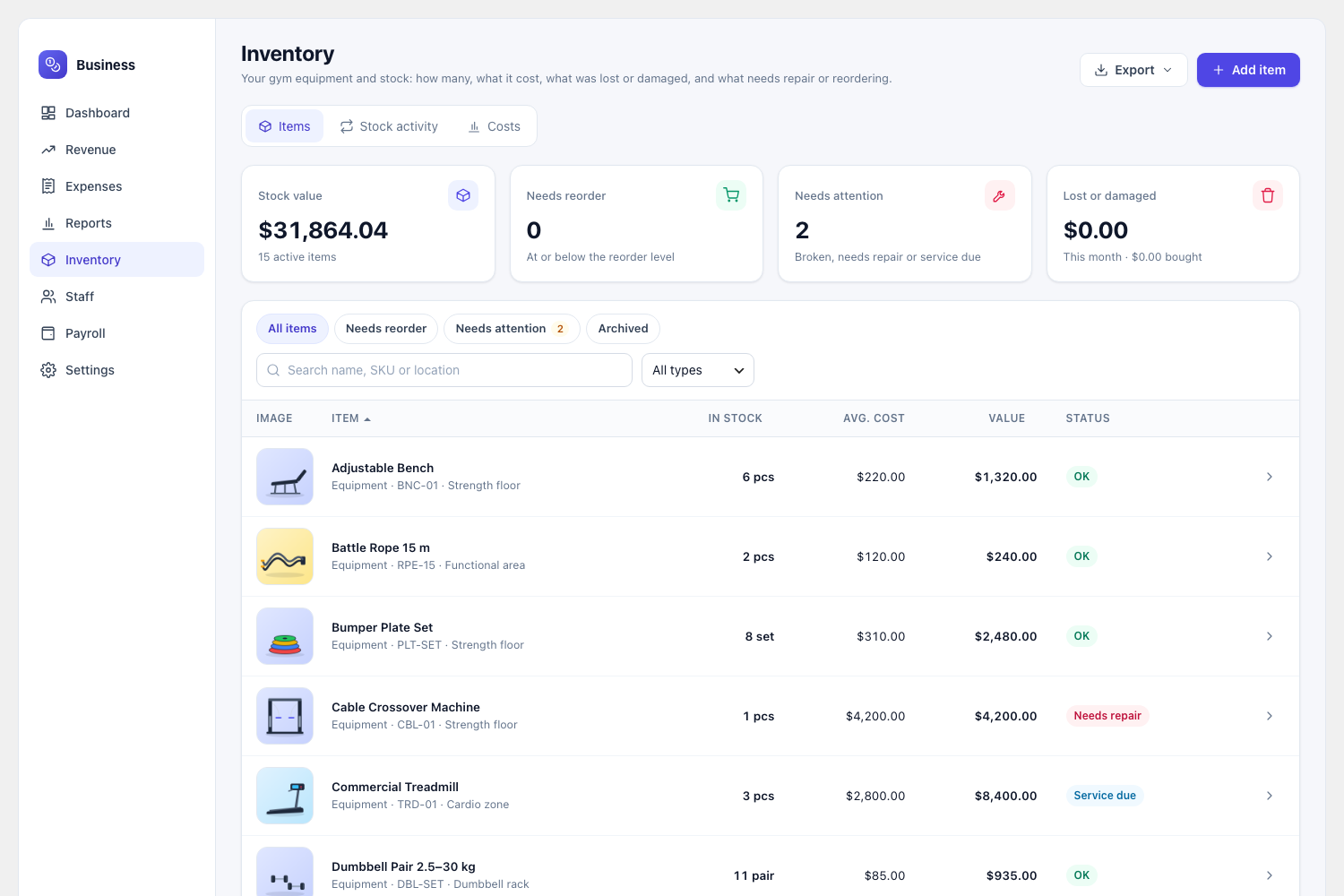
Business Manager › InventoryINVENTORY
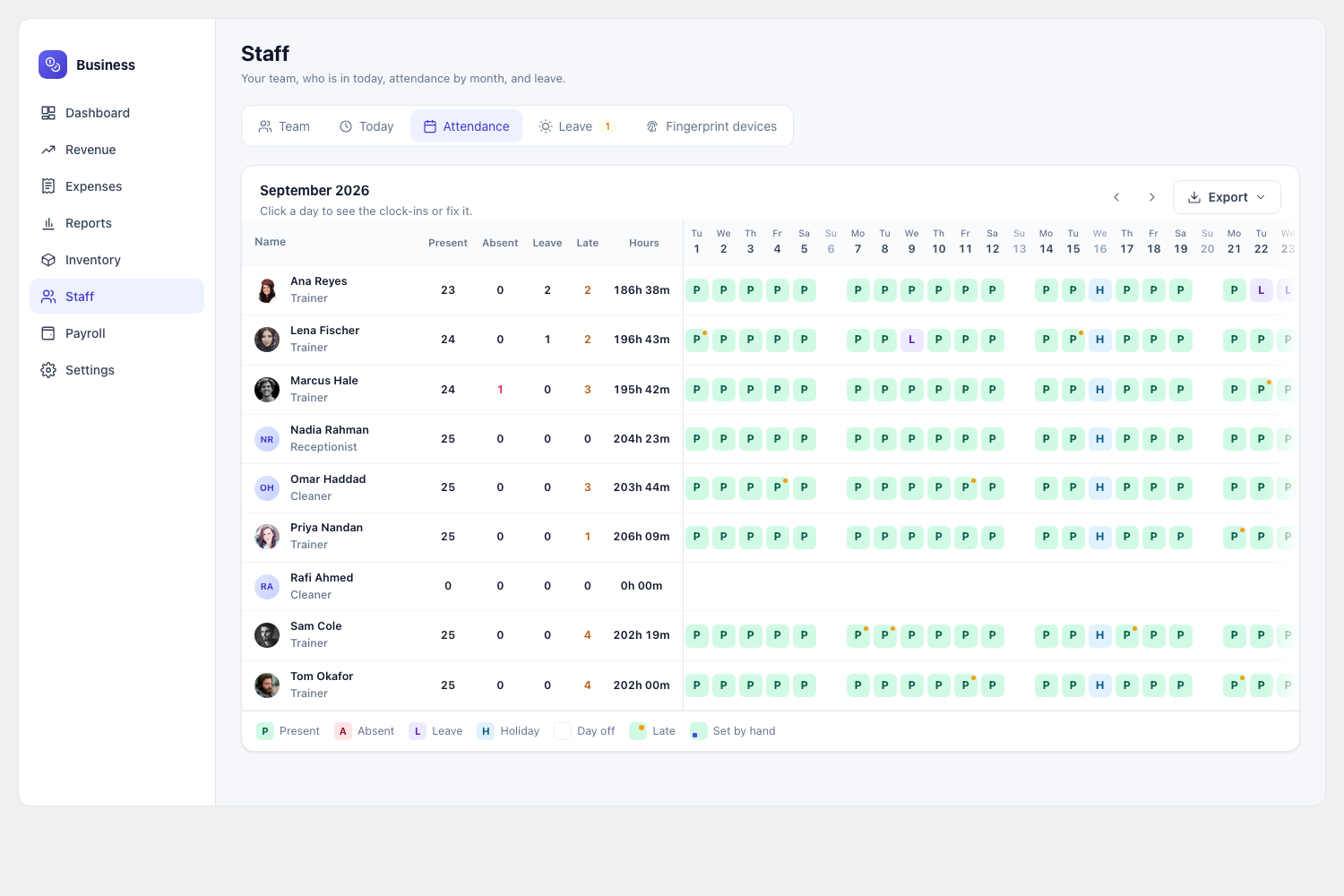
Business Manager › Staff › AttendanceSTAFF
Kiosk, dashboard or records link — your choice.
Attendance without the paperwork
- Gym Builder trainers added in one click; reception, cleaning and managers entered directly.
- A front-desk PIN kiosk, only on devices you set up yourself.
- Staff without a login clock in and see their records on a private link — only on the gym Wi-Fi.
- Today board, month grid with totals and CSV, days fixed by hand, night shifts.
- Leave with yearly allowances, approvals by email, and holidays the gym is closed.
ZKTeco, Hikvision, USB or a connector.
Plug in the fingerprint machine you already have
- ZKTeco and compatible machines send punches by themselves over “Cloud Server / ADMS”.
- New machines wait for your approval; punches are kept and counted once approved.
- Machine IDs matched to staff — unknown IDs are kept until you link them.
- Resends and double taps ignored; clock correction per machine.
- A log of every punch and what happened to it.
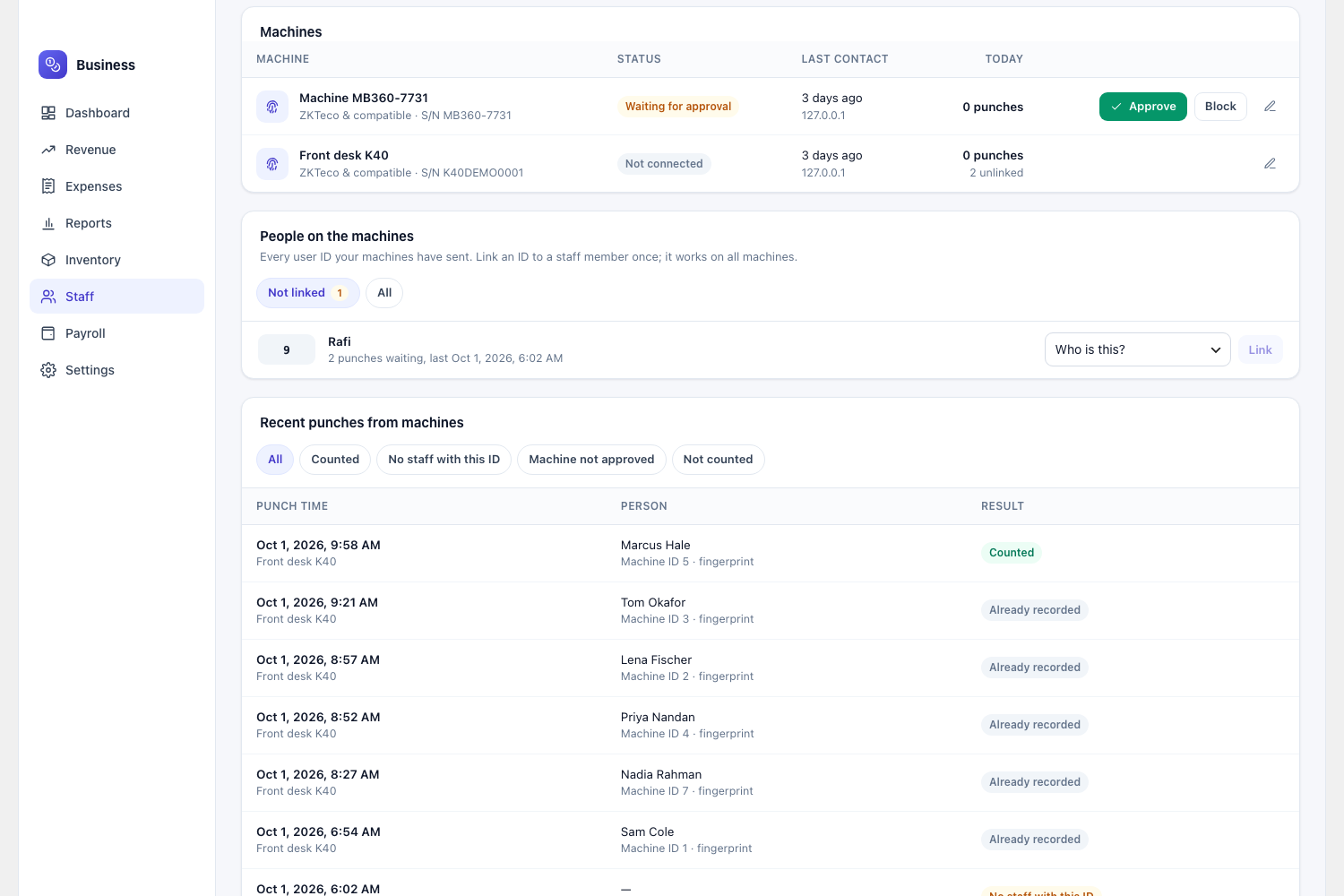
Business Manager › Staff › Fingerprint devicesSTAFF
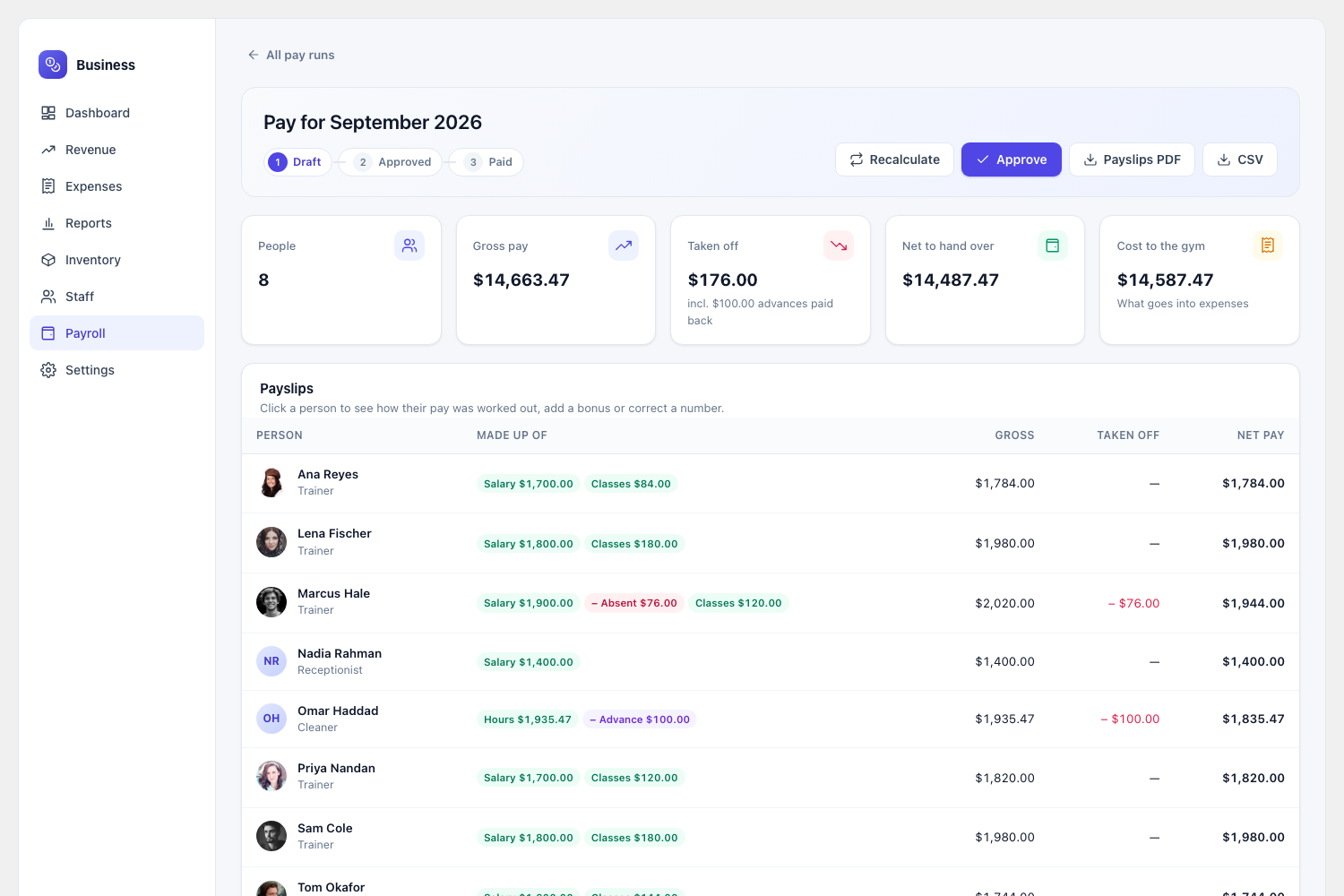
Business Manager › PayrollPAYROLL
From attendance, leave, sessions and classes.
Payroll worked out for you
- Monthly salary, hourly, per class taught and personal-session commission.
- Dated pay — a raise starts from its date and never changes old payslips.
- Salary pro-rated for joiners and leavers; absence, unpaid leave and late fines taken off.
- Every line shows its working (“1.5 days × $100.00”); corrections are kept.
- Approve, pay (one expense in Salaries & wages), and payslip PDFs for staff.
Frequently asked questions
Do I need the Gym Builder plugin to use this?
Yes. GB Business Manager is a companion add-on that requires Gym Builder 2.5.0 or newer to be active. Without it, the plugin shows a notice and stays out of the way — your site keeps working normally.
Which payments does it read?
Card payments from GB Stripe Payments, bank transfers and cash from GB Offline & Manual Payments, and paid sessions from GB Personal Session — whichever are active. Each add-on’s own table is read live, so the full history is there from day one and a refund or late approval shows up straight away.
Do I lose revenue history if I deactivate a payment add-on?
No. Payments already received stay on record and keep appearing in your reports.
Which fingerprint machines work?
ZKTeco-type machines with “Cloud Server” or “ADMS” in their communication menu connect directly (K40, K50, MB-series, F18, iClock, and brands built on ZKTeco such as eSSL and Identix). Hikvision terminals connect through HTTP Listening. Any other machine works through its USB export file or a small connector program. The setup screen tests the connection for you.
Can front-desk staff use it without seeing the books?
Yes. Finance, inventory, staff and payroll each have their own permission, and there is a ready-made “Gym Manager” role. Running attendance never means seeing salaries.
Do staff need a WordPress login?
No. Trainers use their Gym Builder dashboard; everyone else clocks in at the kiosk with a PIN, and can open a private records link to see their attendance, ask for time off and download payslips.
What happens to my data if I delete the plugin?
It is kept, unless you tick “Delete all Business Manager data” in Settings. Payment records kept by other add-ons are never touched.
Is it translated?
Yes — it ships in German, French, Italian, Dutch, Polish, Spanish and Mexican Spanish, like the rest of the Gym Builder family.
Simple, no-renewal-trap pricing
Pick the license that fits your number of sites — 1-year updates or lifetime. Every plan includes a 30-day money-back guarantee.
Single Site
For one production site
$39.99 / year
or $119.99 lifetime
- ✓1 site activation
- ✓All features included
- ✓1 year of updates
- ✓1 year priority email support
- ✓30-day money-back guarantee
MOST POPULAR
5 Sites
For agencies & multi-location gyms
$99.99 / year
or $299.99 lifetime
- ✓5 site activations
- ✓All features included
- ✓1 year of updates
- ✓1 year priority email support
- ✓30-day money-back guarantee
Unlimited
For agencies with many client sites
$899.99 / year
or $899.99 lifetime
- ✓Unlimited site activations
- ✓All features included
- ✓1 year of updates
- ✓1 year priority email support
- ✓30-day money-back guarantee