
9
Gutenberg blocks
6
One-click niche templates
4+
Layouts Class & Trainer & routine blocks
0
Shortcodes required
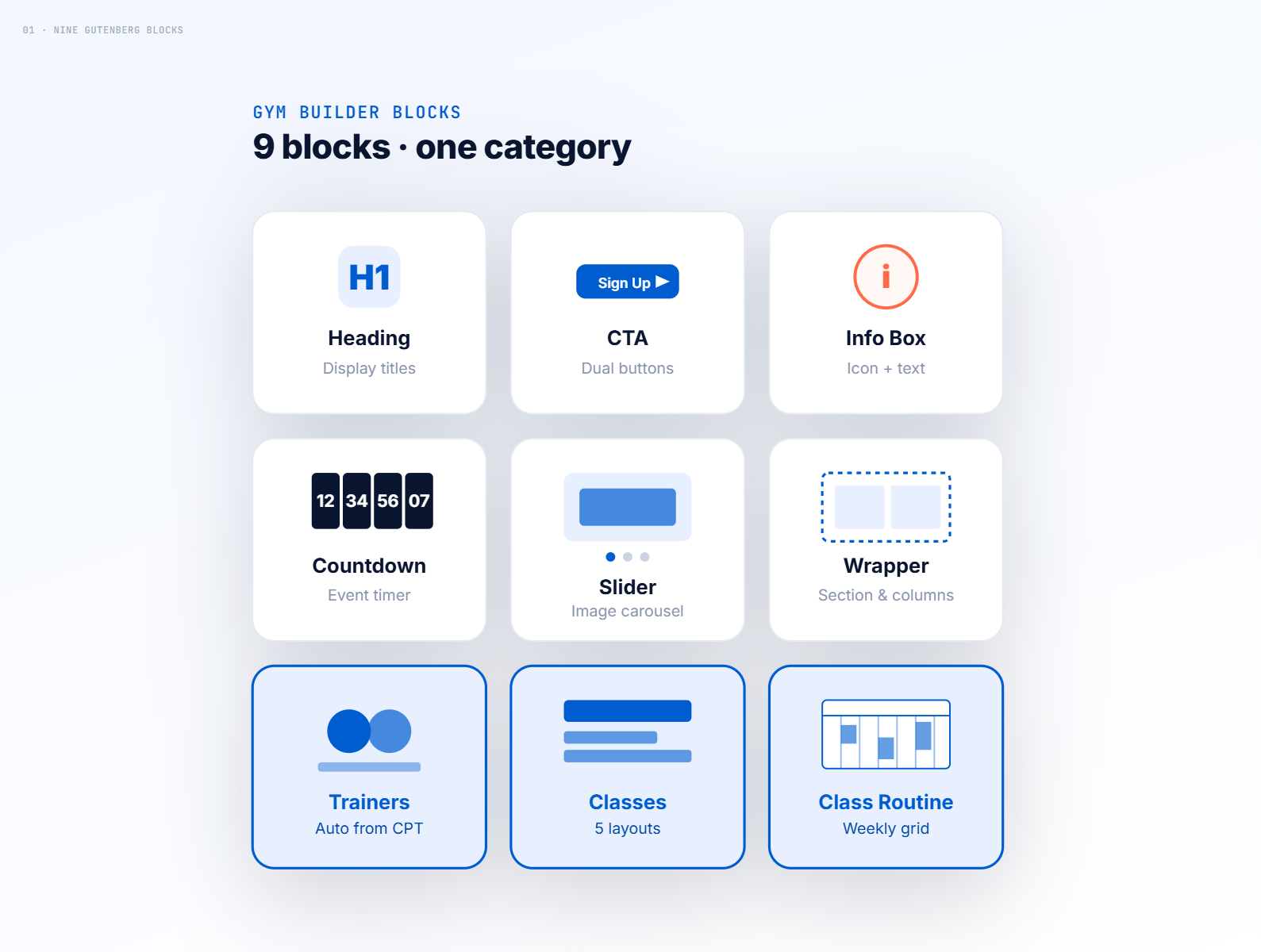
Nine blocks. One coherent system.
Every block is built for fitness sites — not retrofitted from a generic block pack. Headings, CTAs, info boxes, countdowns, sliders, and wrappers as design primitives. Three data-driven blocks that auto-pull your classes, trainers, and weekly routine from Gym Builder. They share inspector tabs, style fields, and CSS variables so a brand-color change in one place updates the whole page.
- 1. Heading, CTA, Info Box, Countdown, Slider, Wrapper — design primitives
- 2. Trainers, Classes, Class Routine — auto-populated from Gym Builder CPTs
- 3. Grouped under a single "Gym Builder Blocks" category in the inserter
- 4. Per-instance CSS so two of the same block can look completely different on one page
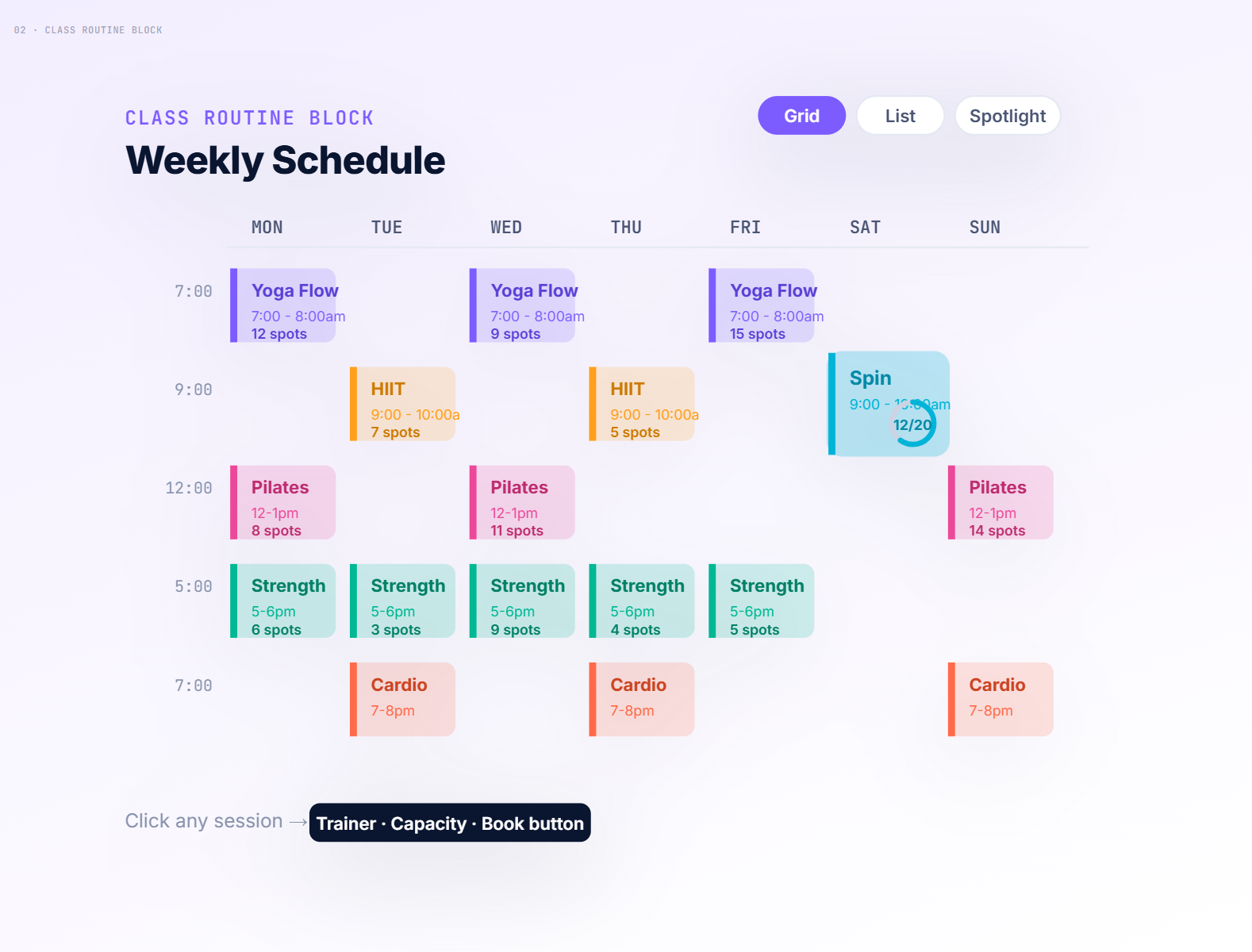
A weekly timetable in five layouts.
Drop the Class Routine block, choose a layout, and your full weekly schedule renders — pulled live from the classes you’ve already created. Click any session to see capacity, trainer, and a working book button. Five distinct layouts (pill grid, day cards, compact list, day-block, spotlight row) cover everything from a sidebar widget to a full-page schedule.
- 1. Five layouts, swappable from the inspector — no separate blocks to learn
- 2. Day-popup with session details portals to so it escapes any container
- 3. Spotlight row shows "next up" with smooth slide transitions between days
- 4. Filter by class category, trainer, day of week
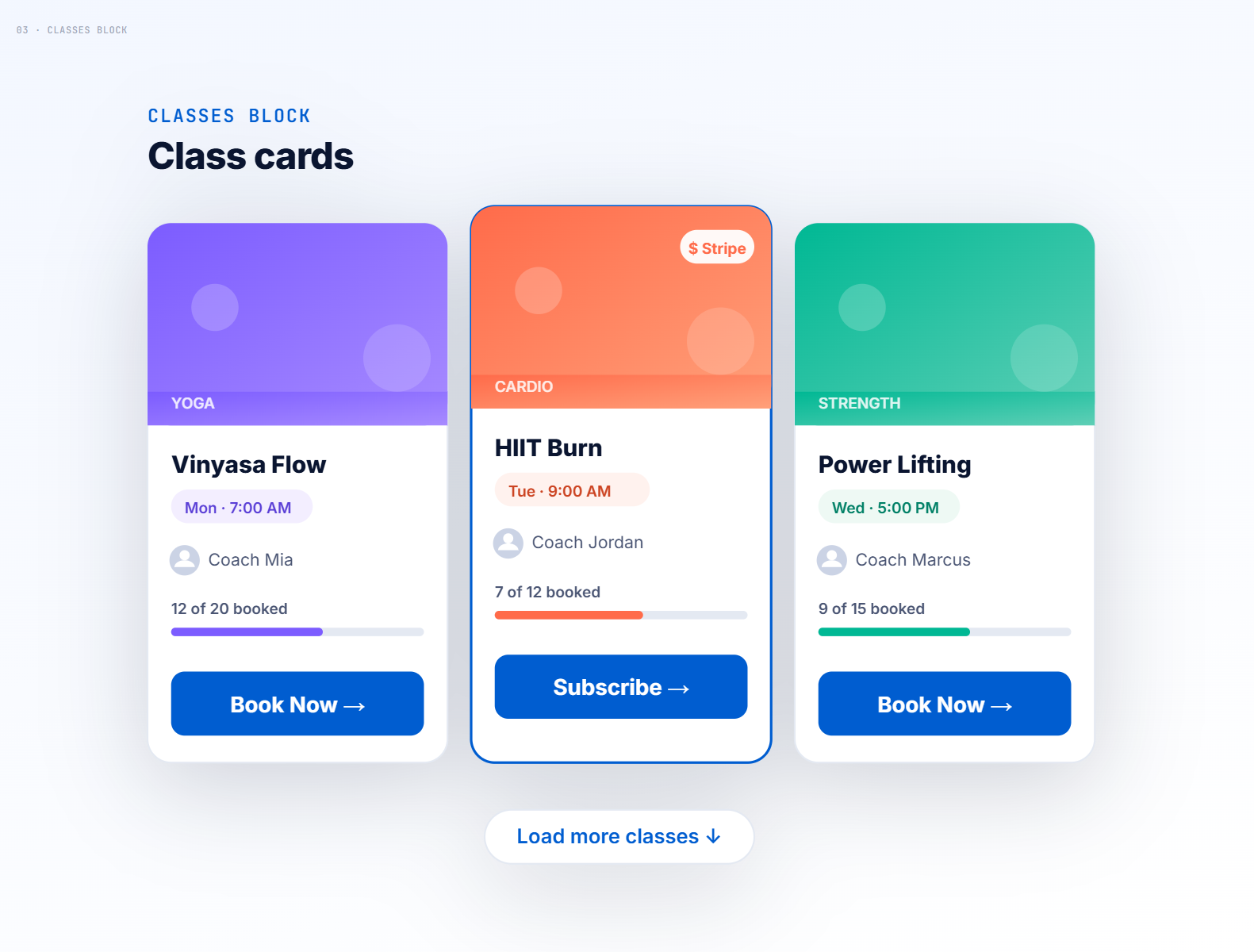
Class cards that book themselves.
The Classes block renders your gym’s classes in five layouts — grid, slider, day-tab, list, or pill — with built-in capacity tracking and a booking button on every card. Booking automatically routes to Stripe Checkout if you’ve enabled the Stripe add-on, the registration popup if you’ve enabled that, or a plain CTA link otherwise. You write zero booking logic.
- 1. Five layouts including AJAX load-more for long class lists
- 2. 12-hour or 24-hour time format, follows your global Gym Builder setting
- 3. Capacity counters update live as members book
- 4. Each card uses its class's brand color as an accent
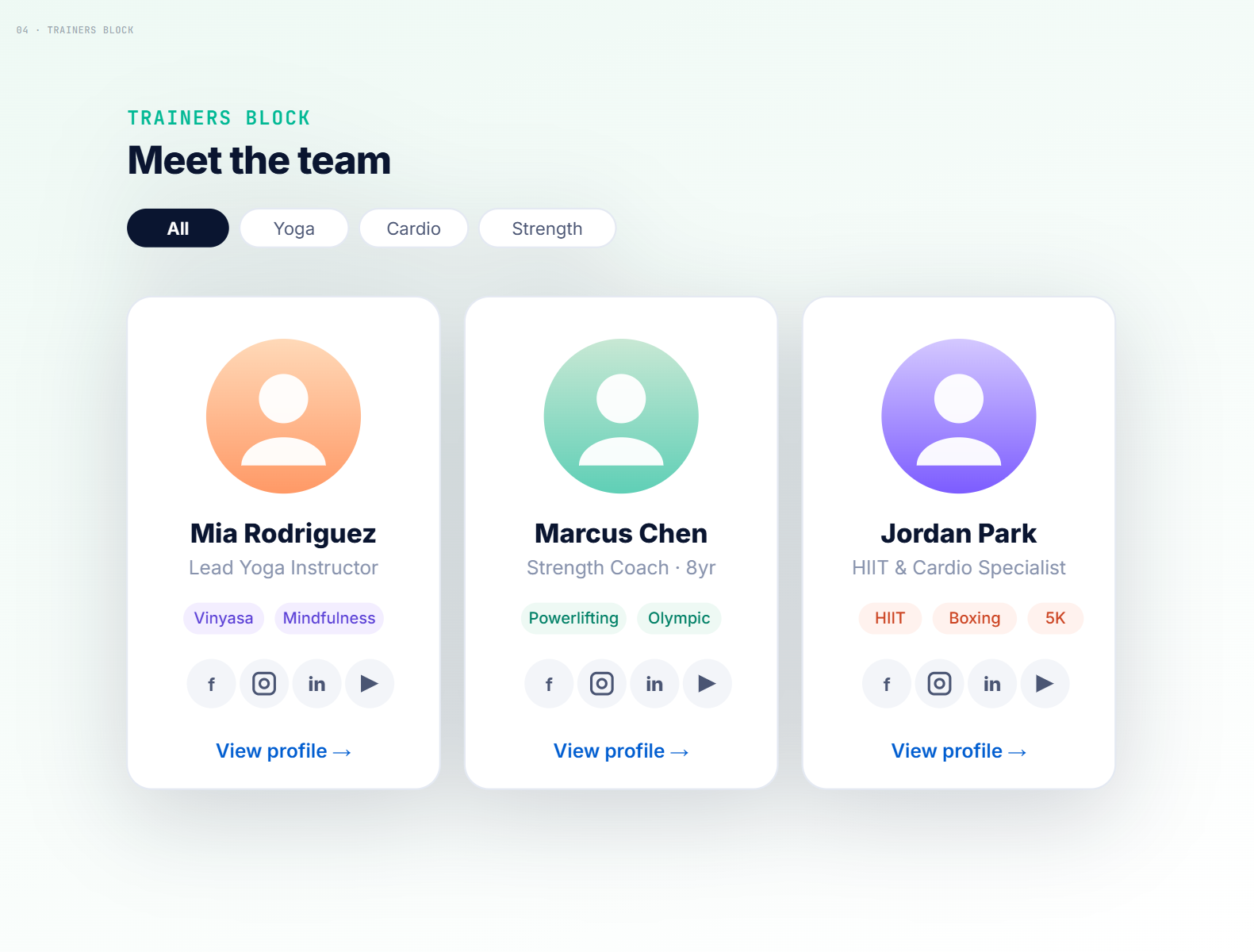
Trainer profiles, ready to ship.
Trainers you’ve added in Gym Builder appear automatically — photo, name, role, social links, specialties. Pick a layout, set a column count, point it at a category if you want to filter, and the block handles the rest. Filter by category, sort, and limit per page; everything respects the trainer post type’s existing fields.
- 1. Pulls from the gym_builder_trainer CPT — no duplicate data entry
- 2. Filter by trainer category, limit count, choose order
- 3. Social links rendered as icon row with hover states
- 4. Click-through to single-trainer pages on your existing theme
Six niche-ready pages, one click away.
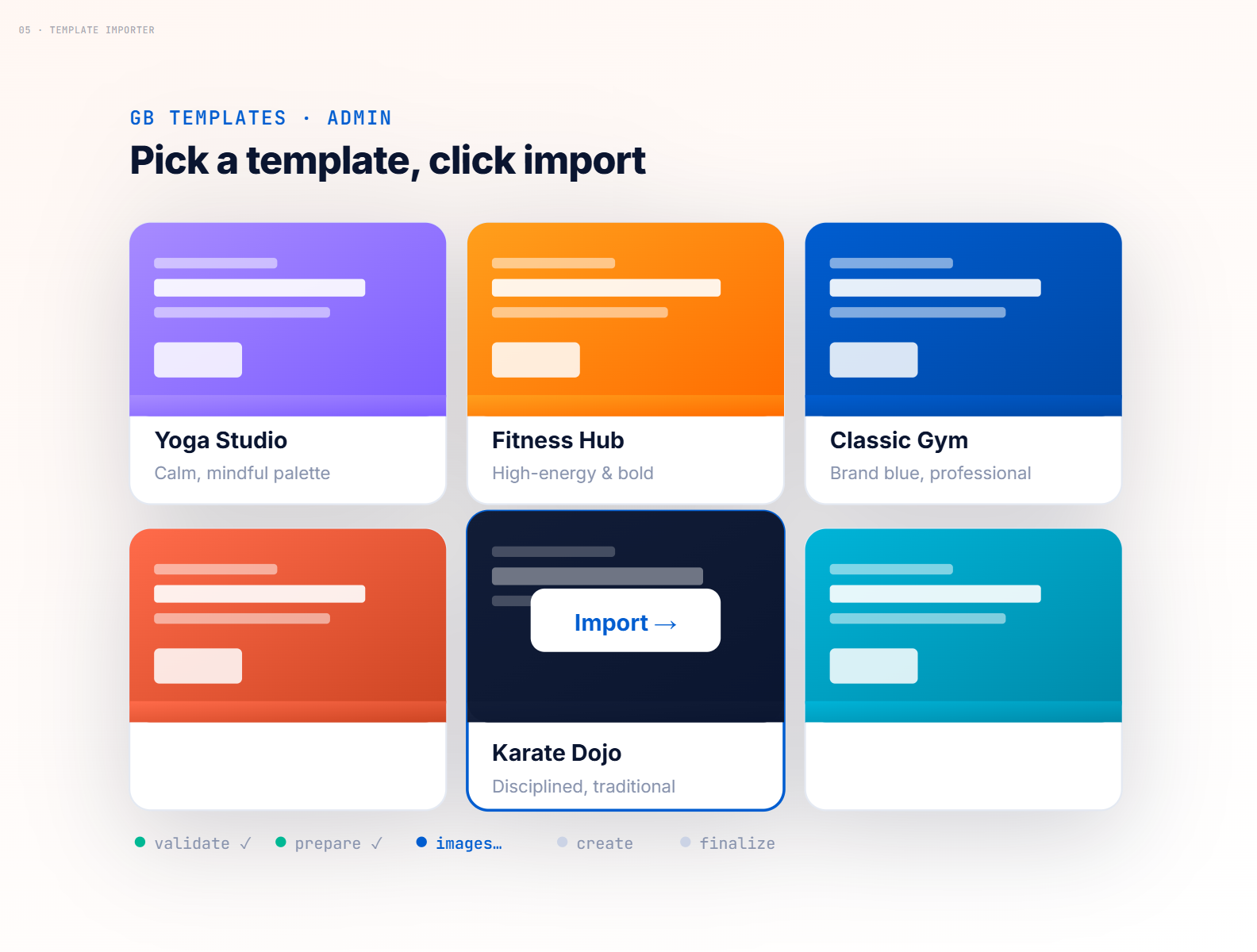
Open the GB Templates menu in WordPress admin and you’ll see six full landing pages built for specific niches — yoga, fitness, gym, boxing, karate, and swimming. Pick one, click Import, and a five-step progress bar walks through validating, sideloading images, creating the page, and finalizing. The result lands as a draft page you can edit, restyle, or publish as-is.
- 1. Six templates: Yoga, Fitness, Gym, Boxing, Karate, Swimming
- 2. Real 5-step progress (not theatre) — validate, prepare, images, create, finalize
- 3.Theme-detection tip on success (e.g. "switch Astra to Full Width")
Every block, every pixel, in the inspector.
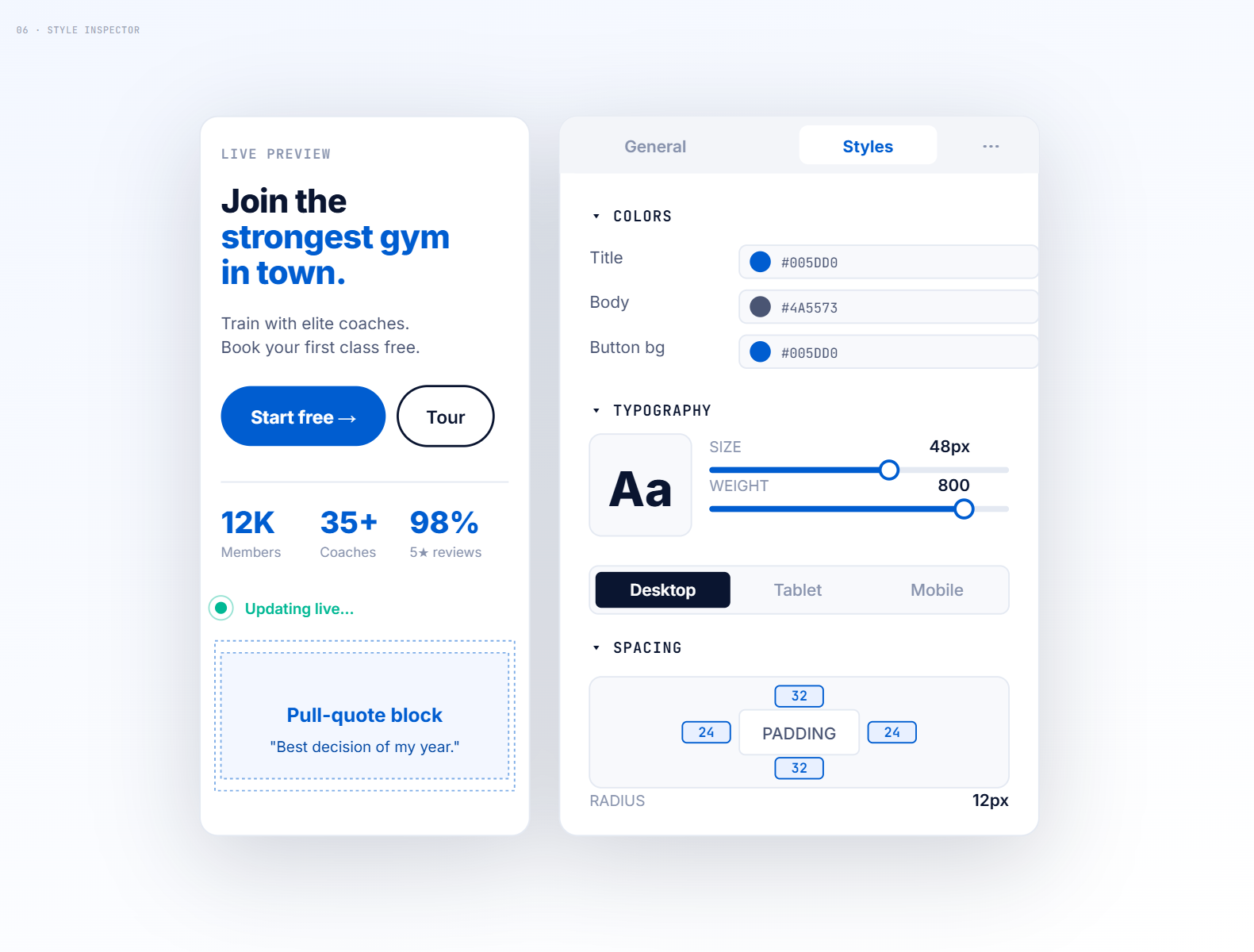
Each block exposes a two-tab inspector — General for content and behavior, Styles for the look. Colors, typography (size/weight/line-height per breakpoint), spacing, borders, border-radius, box-shadow, gradients, and background images. Style fields are responsive — set different values for desktop, tablet, mobile from the same control. Changes show live in the editor without a server round-trip.
- 1. General + Styles tabs on every block
- 2. Responsive controls — lg/md/sm values on every size, spacing, and typography field
- 3. Live editor preview via overlay, no laggy server re-renders
- 4. Per-instance CSS — two copies of the same block can look totally different
One button. Three integrations. Zero config.
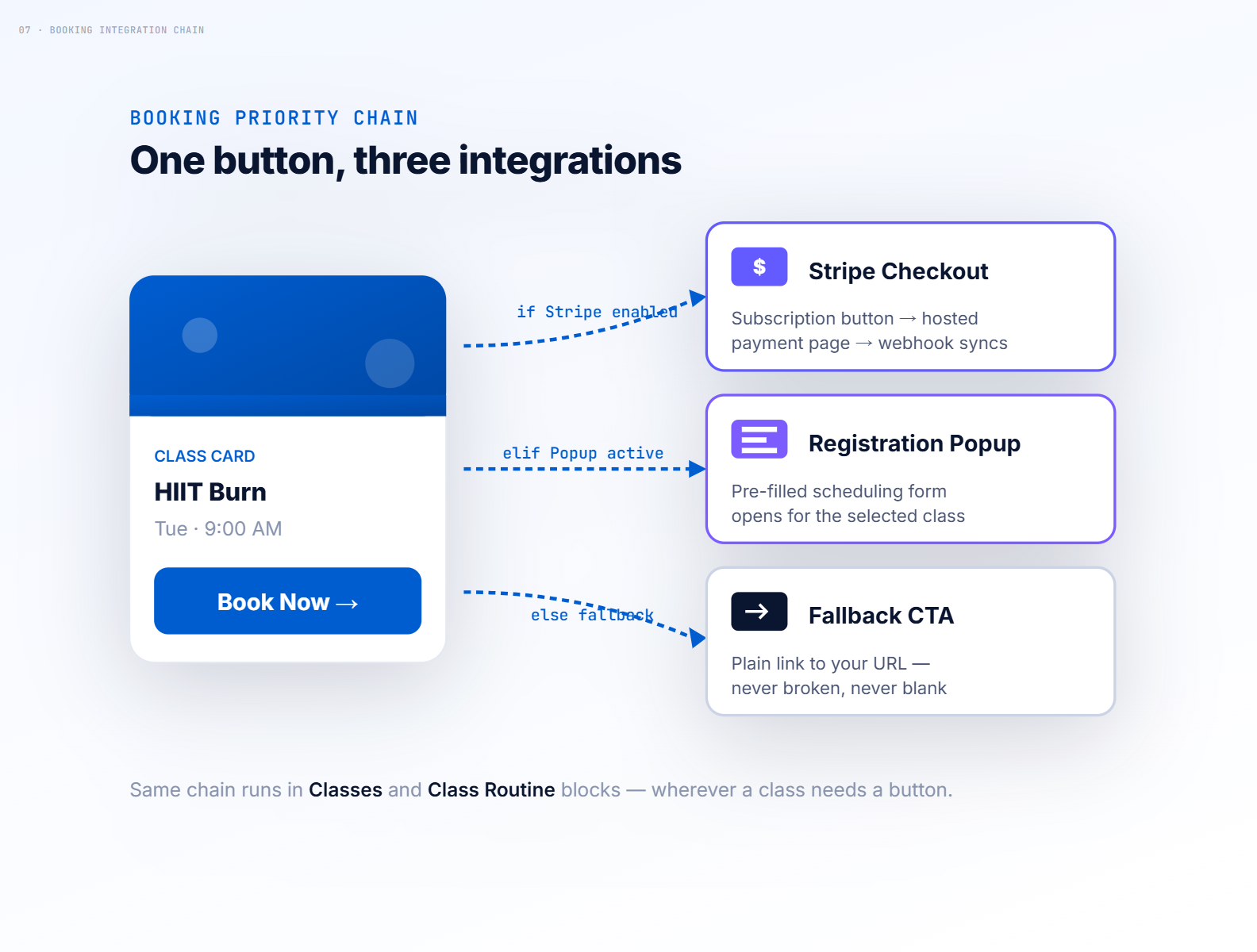
Wherever a class needs a booking button — inside the Classes block, the Class Routine timetable, anywhere — the same priority chain runs. If GB Stripe Payments is active and the class has a Stripe-enabled package, the button opens Stripe Checkout. If GB Registration Page Popup is active, it opens a scheduling popup with the class details pre-filled. Otherwise, a plain CTA link uses the class’s fallback button text and URL. You install the add-ons; the buttons reroute themselves.
- 1. Detects GB Stripe Payments and renders subscribe buttons automatically
- 2. Detects GB Registration Page Popup and fires the schedule-booking action
- 3. Falls back to the class's own button text + URL — never broken, never blank
- 3. Works identically across every block that renders a class

Buy with 30 Days Money Back Guarantee
-
$19.99 / Annual $59.99 / Lifetime$49.99 / Annual $149.99 / Lifetime$89.99 / Annual $269.99 / Lifetime$99.99 / Annual $299.99 / Lifetime$119.99 / Annual $359.99 / Lifetime$129.99 / Annual $389.99 / Lifetime$149.99 / Annual $499.99 / Lifetime
An email with your license details has been sent to .
100% Money Back Guarantee
30-Days Money Back Guarantee
Safe & Secure Payment
Cards & Paypal Payments Supported
Quality and Support
Quality and support are the cornerstones of our approach.