
GB Elementor Widgets — Complete Guide
Fourteen Elementor widgets that render every public-facing surface of Gym Builder and its add-ons. Build your gym site pixel-perfectly inside Elementor — class cards, trainer cards, pricing plans, fitness calculator, hero, countdown, testimonial and more.
1. Welcome
GB Elementor Widgets brings every Gym Builder surface into the Elementor editor. Fourteen widgets render the same data as Gym Builder’s shortcodes and Block Tools blocks — but with Elementor’s drag-and-drop styling, responsive controls, and motion effects. Designed to rebuild the six niche template mockups (yoga, fitness, gym, boxing, karate, swimming) pixel-perfectly inside Elementor.
What you get
- 14 widgets covering classes, class routine, trainers, pricing plans, calculators, login, hero, countdown, testimonials, meter ticker, personal session booking, trainer reviews and trainer profile.
- Live integration with gym-builder’s classes, trainers, pricing plans, schedule meta.
- Add-on awareness — Stripe Payments, Personal Session, Registration Popup integrations work automatically.
- Niche-template ready — used by the WpDreamers Template Elementor demos.
2. Installation
2.1 Requirements
- WordPress 5.8+ and PHP 7.4+.
- Gym Builder plugin — installed and activated.
- Elementor 3.18+ — the free Elementor plugin.
2.2 Install & activate
- 1Download the GB Elementor Widgets
.zip. - 2In WordPress: Plugins → Add New → Upload Plugin.
- 3Choose the
.zipand click Install Now. - 4Click Activate.
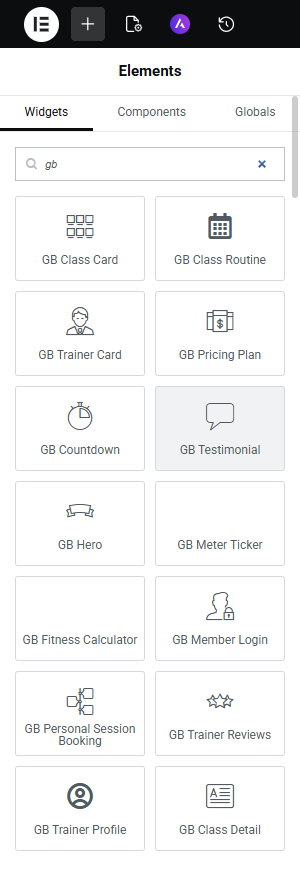
- 5Edit any page with Elementor — search for “GB” in the widget panel to find all 14 widgets.
3. The 14 Widgets
All widgets live under a Gym Builder category in the Elementor widget panel. Some unlock only when their corresponding add-on is active.
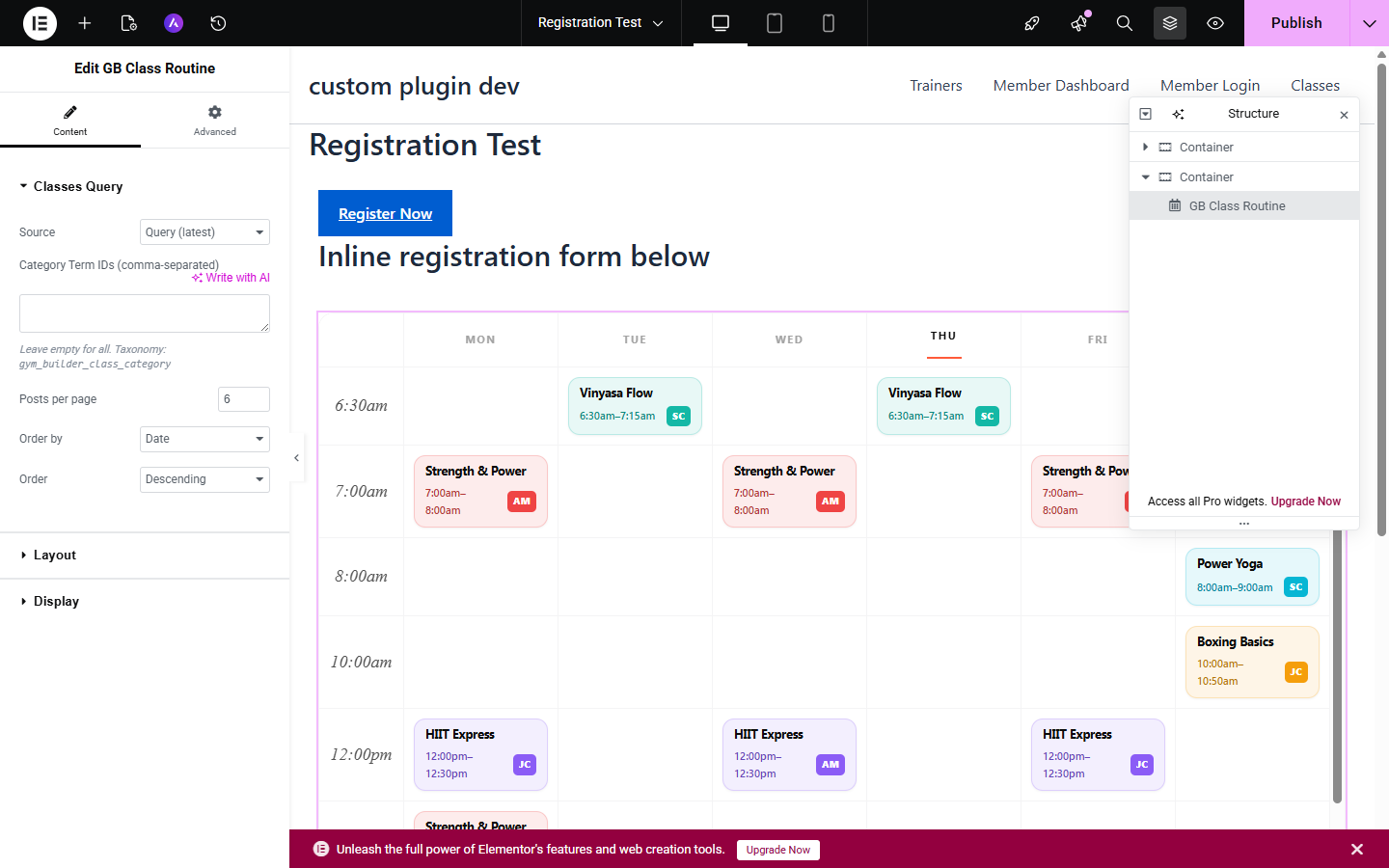
GB Class Routine
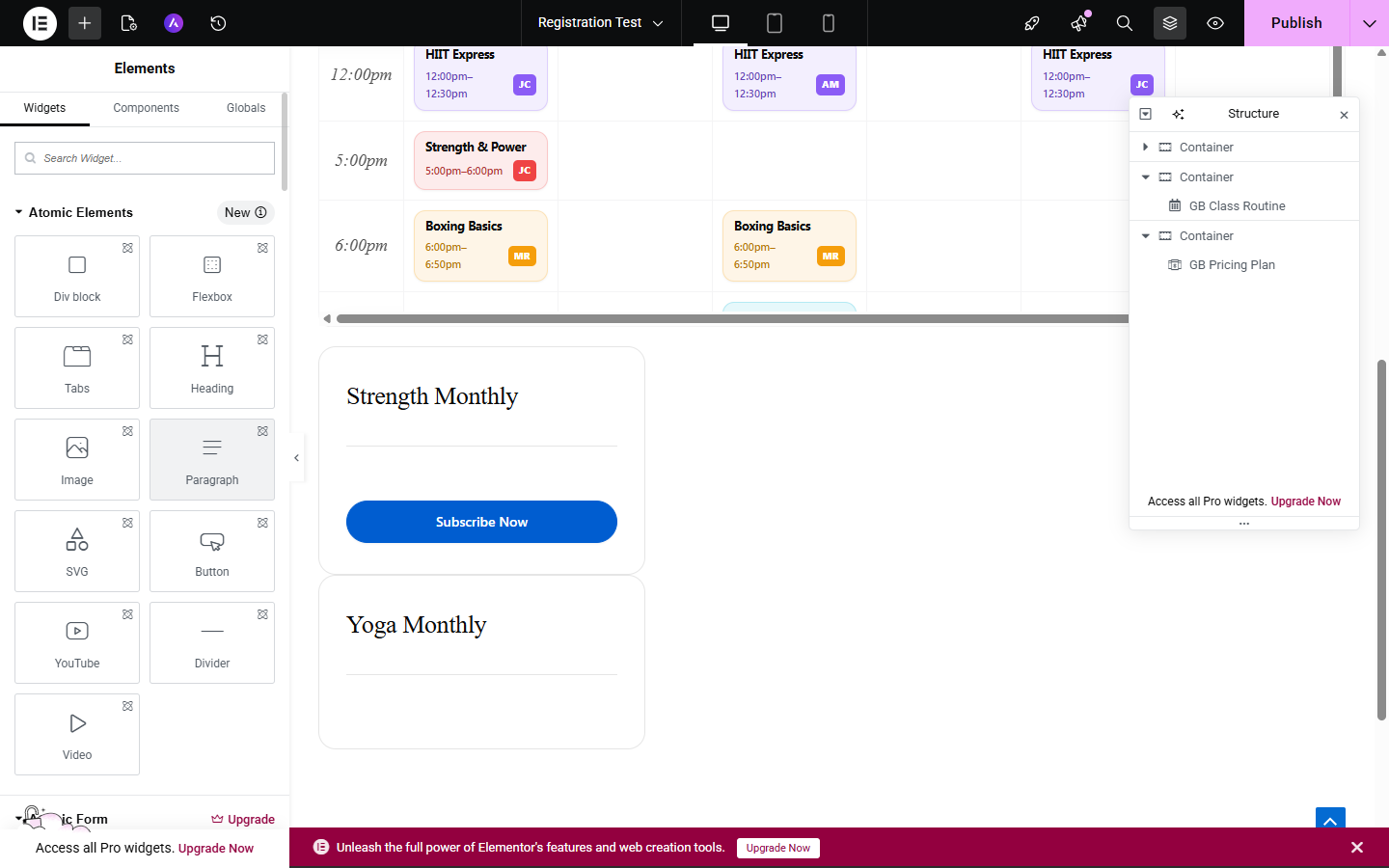
GB Pricing Plan
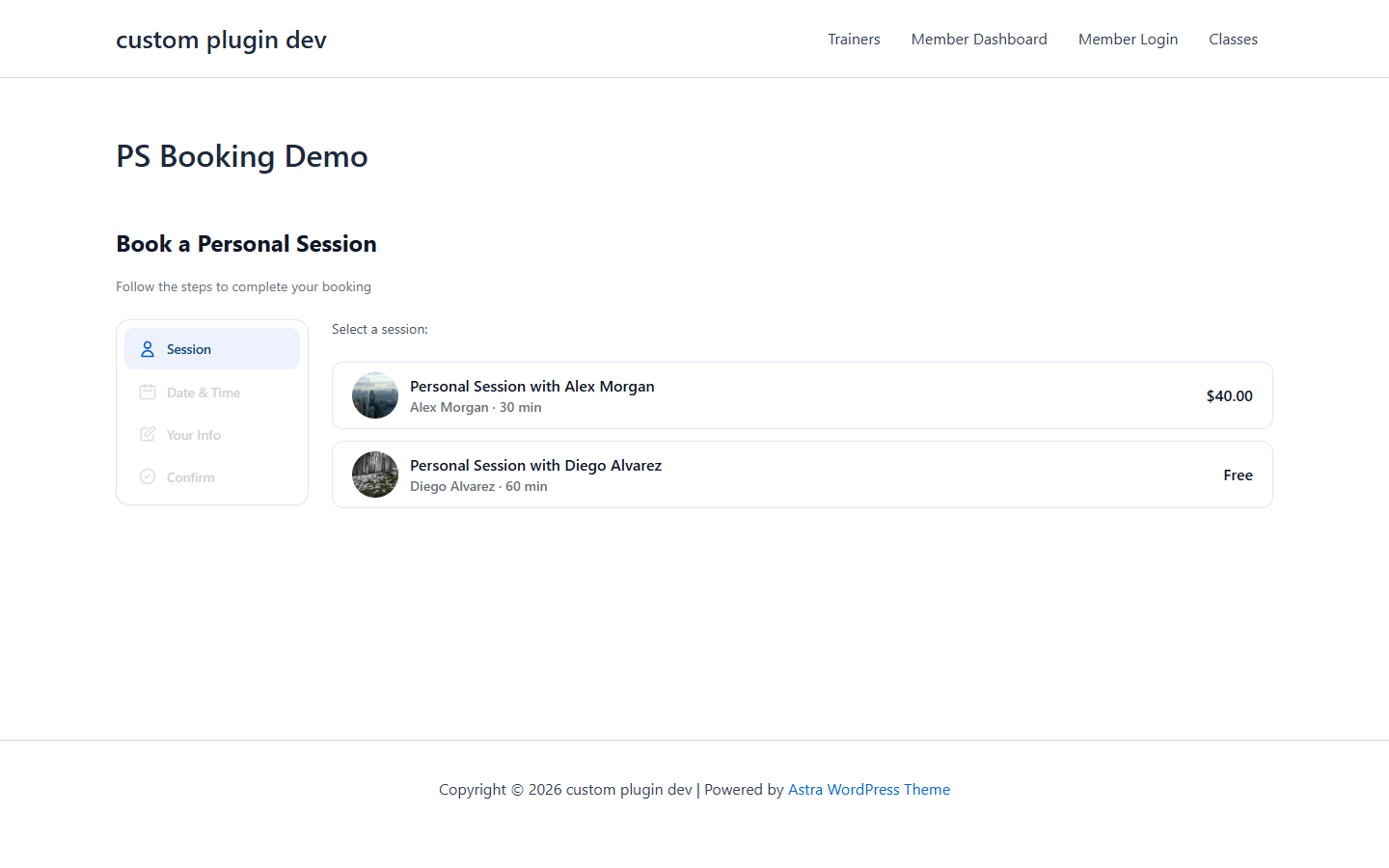
GB Personal Session Booking
- GB Hero — full-width hero with heading, sub-heading, 2 buttons, background image, overlay.
- GB Class Card — individual class card with image, title, duration, price, capacity, Book button.
- GB Class Routine — weekly schedule grouped by day, with capacity badges and Stripe-aware Book buttons.
- GB Class Detail — full class detail layout for /class/[slug] pages.
- GB Trainer Card — trainer profile card with photo, name, specialty, socials, rating.
- GB Trainer Profile — full trainer profile layout for /trainer/[slug] pages.
- GB Trainer Reviews (requires Personal Session) — star ratings aggregated from completed sessions.
- GB Pricing Plan — membership cards with title, price, billing interval, features. Stripe-aware.
- GB Fitness Calculator — BMI, body fat, protein and water intake calculators.
- GB Member Login — inline login form with auto-redirect for logged-in members.
- GB Personal Session Booking (requires Personal Session) — multi-step 1-on-1 booking widget.
- GB Countdown — days/hours/minutes/seconds to target date.
- GB Testimonial — member testimonials slider or grid.
- GB Meter Ticker — animated counters that count up on scroll.
4. Using a Widget
Every widget follows the same drag-drop-configure pattern.
- 1Edit a page with Elementor (Edit with Elementor).
- 2In the widget panel on the left, search “GB” to filter.
- 3Drag the widget into your layout.
- 4The Content tab shows widget-specific settings: data source, layout, what to show.
- 5The Style tab gives full Elementor controls — typography, colors, spacing, borders, shadows, animations.
- 6Click Update at the bottom-left to save.
5. Tips & Best Practices
- Start from a Pre-built Templates Elementor demo. Six niche-specific full-page templates built entirely from these widgets.
- Use GB Class Routine on your homepage. One widget = full weekly schedule with capacity + booking.
- Combine GB Member Login + GB Class Card for a personalised dashboard-like landing experience.
- Save configured widgets as Elementor templates for cross-page reuse.
6. FAQ
Q: Do I need both Block Tools AND Elementor Widgets?
No. Block Tools = Gutenberg, Elementor Widgets = Elementor. Pick whichever editor you build with. Install both if you use both.
Q: Do the widgets work with Elementor Pro?
Yes. Pro isn’t required but composes nicely with Theme Builder, Forms, Motion Effects.
Q: Can I use the widgets in Elementor's Theme Builder?
Yes. Drop GB Class Card or GB Trainer Card into Single-class or Single-trainer templates.
Q: What if I deactivate GB Stripe Payments — what happens to the Book buttons?
They gracefully fall back to gym-builder’s default registration flow. No errors.
Q: Are the widgets responsive?
Yes. Standard Elementor responsive controls — different column counts per device, customisable breakpoints.
Q: Can I add custom CSS?
Yes. Each widget supports Elementor’s custom CSS field. Widgets expose gbew- classes for global theme overrides.
7. Troubleshooting
I don't see GB widgets in the Elementor panel
Confirm GB Elementor Widgets is active AND Elementor is 3.18+.
Class Routine widget shows "No classes"
The widget reads gym-builder’s class CPT and schedule meta. Confirm at least one class is published with a schedule.
Personal Session Booking widget shows install prompt
The widget requires GB Personal Session to be active. Install it, then refresh the Elementor editor.
Trainer Reviews widget shows "No reviews"
Reviews come from completed Personal Session sessions. Until clients leave reviews, the widget is empty.
Widgets look different from demo screenshots
Your active theme overrides styles. Use Custom CSS to override, or use a neutral theme like Hello Elementor.
8. The Gym Builder Plugin Family
GB Elementor Widgets is one of ten plugins in the Gym Builder family.
GB Elementor Widgets v1.0.0 · A WpDreamers product · Requires Gym Builder + Elementor · PHP 7.4+ · WordPress 5.8+
© WpDreamers — 14 Elementor widgets for Gym Builder.